
You now have control of your algorithm in Explore! Yes, you can now tell your Instagram algorithm what you want to see “more of” and “less of” and it will be reflected in your Explore and Reels feed. So if you're tired of seeing certain types of videos, go ahead and let your algo know! If you want to make sure you see more Justin Bieber videos (ahem), then DEFINITELY let your algo know RIGHT NOW. These kind of manual controls over your feed are the exact features most ppl always say they want, so be sure to use it! Because the reality is, most people don't end up using this feature and just rather let the algo do the work because it's just easier tbh — but you do have some say!
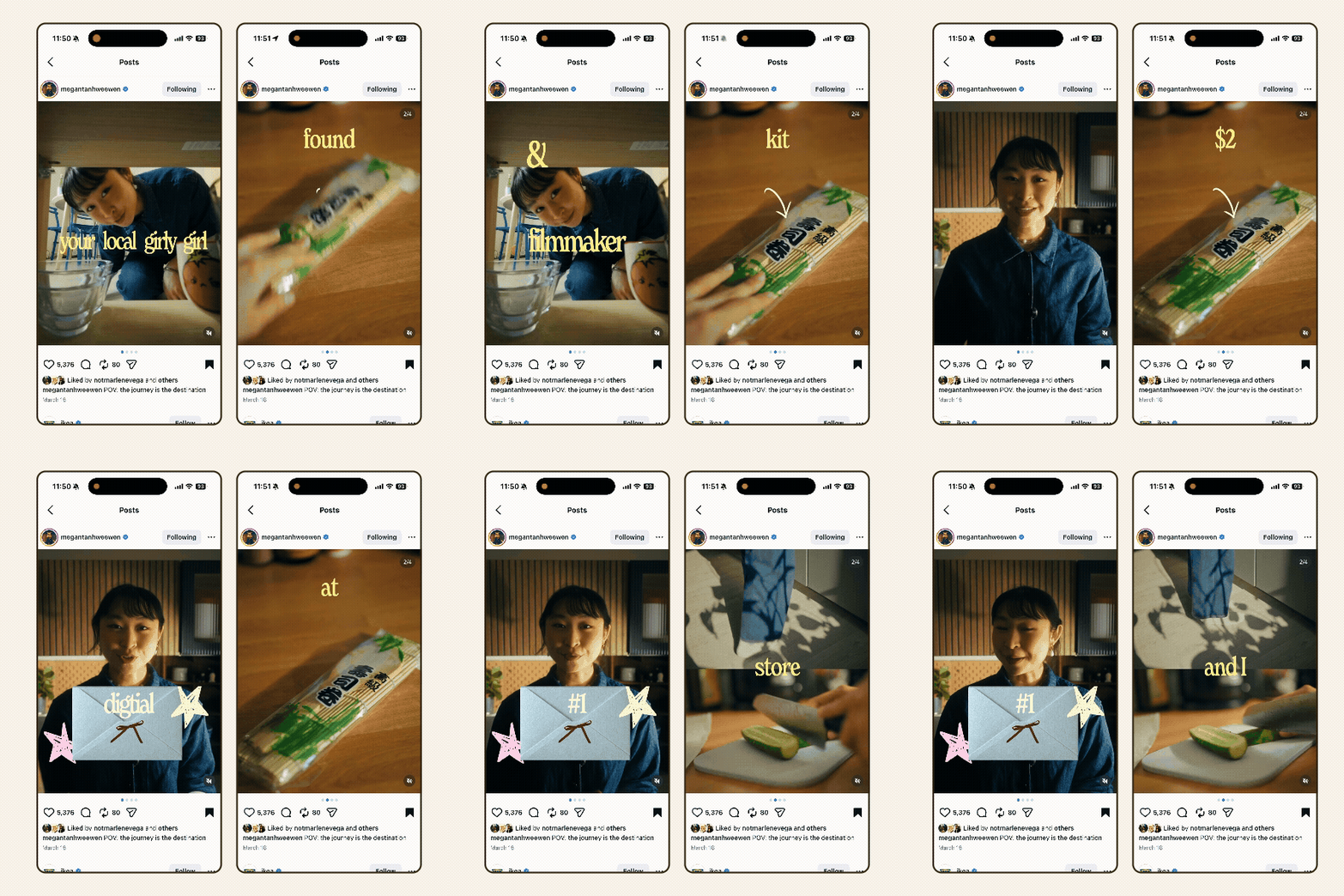
What if we got over the idea that Vlogs have to be videos?Because I'm loving these mini vlogs/journal entry carousel posts by @megantanhweewen!Each slide in the carousel is a video with narration or voiceover, captions, and even graphics, but the fact that you can swipe through it makes it feel much more interactive. I also think, if you can capture really well-lit footage and you can color-grade it a little bit (even just on your phone), this format could be relatively “low-lift” compared to a full on video edit if video isn't your thing. Here's another example in this style from her, where it's more so video footage of these small day-in-the-life moments focused on the details. This one has no voiceover, if you still haven't managed to feel comfortable recording yourself. I will say — if you don't use audio/voiceover — then your visuals really do have to be extra aesthetic/dreamy for this to really land the way the example does. It's definitely doable, but you just need to be mindful and think like the cinematographer of your own life (which imo is fun!) It of course, takes practice but if you want to romanticize your studio practice, i think this format is IT.
This Justin Bieber audio is trending because of Coachella, but it also makes for a relatively easy Reels edit. All you need to do is create a montage of clips of things you're grateful for! This example by @haveaniceday really nails it, just naming the things you're grateful for that are related to your art/small biz.
Another easy trending audio to edit to! For this one, every time the audio says “don't post your work” you show a clip of your work, and every time it says “post you working” share a clip of you working. Do this 2x and you've got yourself a Reel. Remember if you save this Reel example on IG from @annalevphoto, then you can open it in the Edits app and use the template to make the editing process even faster.
So the way this audio works, you just have to use a clip of yourself looking at the camera (preferably) and then flash through some clips of your work or WIP. It's really simple and you can use the template in the Edits app from @paulastraus to just quickly grab clips and you don't even have to edit to the beat yourself, it's already done for you!
There’s a new social media app — Instants. Well sort of, it’s a standalone app from Instagram, similar to Threads but totally different.
Yes, you can now tell your Instagram algorithm what you want to see “more of” and “less of” and it will be reflected in your Explore and Reels feed.


